MIDI
MIDI Learn, with a safety net
Point your controller at a cue, hit Learn, done. If two cues end up fighting over the same trigger, Live Video flags it on the board — before your set does.
N36@1 → Space Out
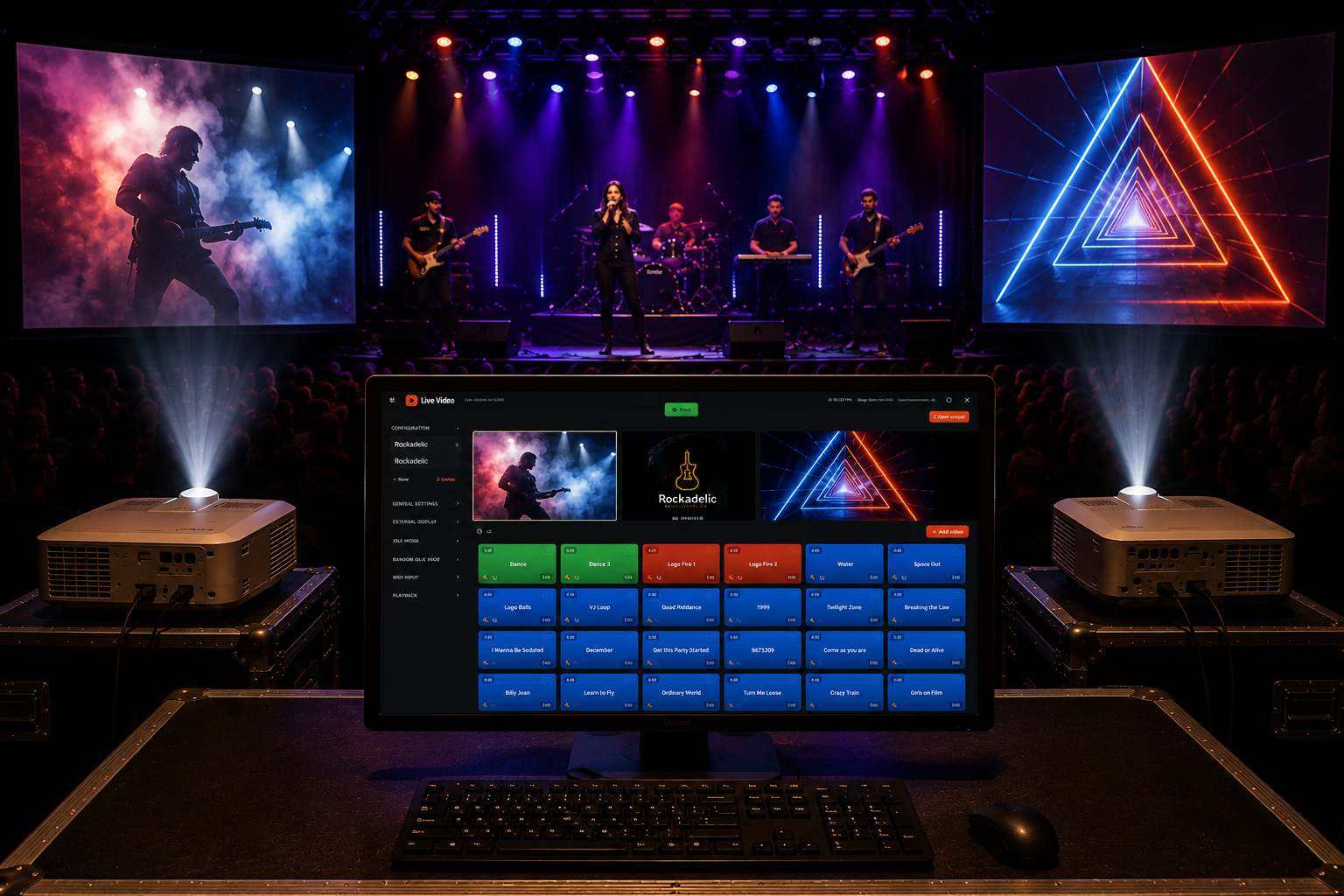
BUILT FOR THE BOOTH
Run every clip from one simple board. Trigger by hotkey or MIDI, send video to one or two screens, and stay in control when it matters.
Windows video cue playback software for DJs, VJs, venues, houses of worship, and live-event crews.
SEE IT IN ACTION
Watch how quickly a video becomes a ready-to-trigger cue—then send it to the screen your audience sees.
WHAT'S ON THE BOARD
MIDI
Point your controller at a cue, hit Learn, done. If two cues end up fighting over the same trigger, Live Video flags it on the board — before your set does.
N36@1 → Space Out
HOTKEY
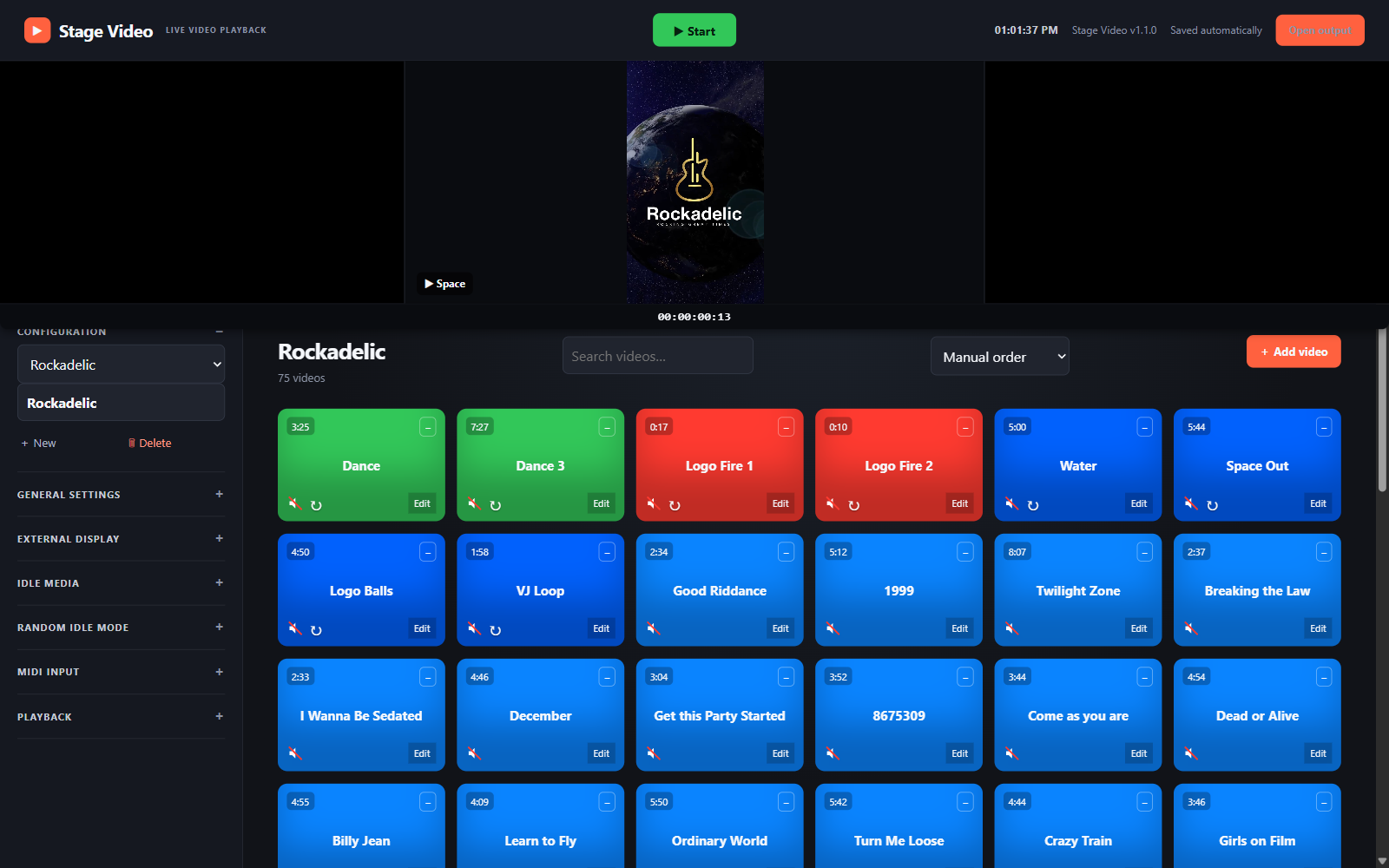
Search, sort, drag to reorder, color by feel. Find the cue in half a second, not a scroll.
DUAL-OUT
Mirror your output, or break it apart and run the lobby feed independently from the stage feed — same show, same board.
ARMED
The board stays dark until you arm the show. One button kills every screen, instantly, no matter what's playing.
IDLE
Between sets, drop in b-roll, stingers, whatever gets a laugh — on your own timer, without touching the main loop.
BACKUP
One button. Show file, media, everything — packed into a single archive, wherever you want it saved. No cloud account required.
LIVE VIDEO
QUESTIONS, ANSWERED
Live Video is Windows video cue playback software for DJs, VJs, houses of worship, venues, and event crews. Build a board of clips, then trigger them by click, keyboard hotkey, or MIDI controller.
Yes. Pro can mirror one video output or run two displays independently from the same cue board. Each display can have its own audio routing.
Yes. MIDI Learn lets you assign a controller message to a cue. Live Video also flags conflicting MIDI assignments before a show starts.
Yes. Free includes up to 10 cues, one configuration, and one display output. Pro removes those limits and the output watermark.
Pro Lifetime includes all Pro features, two computer activations, and every update for the current major version. It does not renew monthly or yearly.
Use a 64-bit Windows 10 or 11 desktop, laptop, or Windows tablet with at least 8 GB of RAM and 256 GB of storage. Touchscreens are supported. A modern integrated graphics chip is recommended for smooth high-resolution or dual-screen video.
No. rtpMIDI is optional and only needed when you want MIDI control over a network. USB and Bluetooth MIDI controllers work without it.
Start free. Upgrade when your show needs the full board.
Free
Most flexible
Pro Monthly
Best value
Pro Lifetime
Secure Stripe checkout. After payment, your activation key is shown immediately and can be used on two computers. Questions? Email us.